NoonFox Explorations
← NoonFox App Icon tracker

Version 6 · 2026-07-17 · Round 7 — the real-phone test + the camera door

On a phone full of famous apps, the question mark wins.

Two things this round: the finalists placed on a realistic Home Screen among Firefox, Duolingo, Zillow and the real competitors — and one more concept door you asked for: icons built from the camera lens, since NoonFox finds things by photographing them. One of the five joined the board.


The real-phone test

F5f, T6b and T6a among the famous
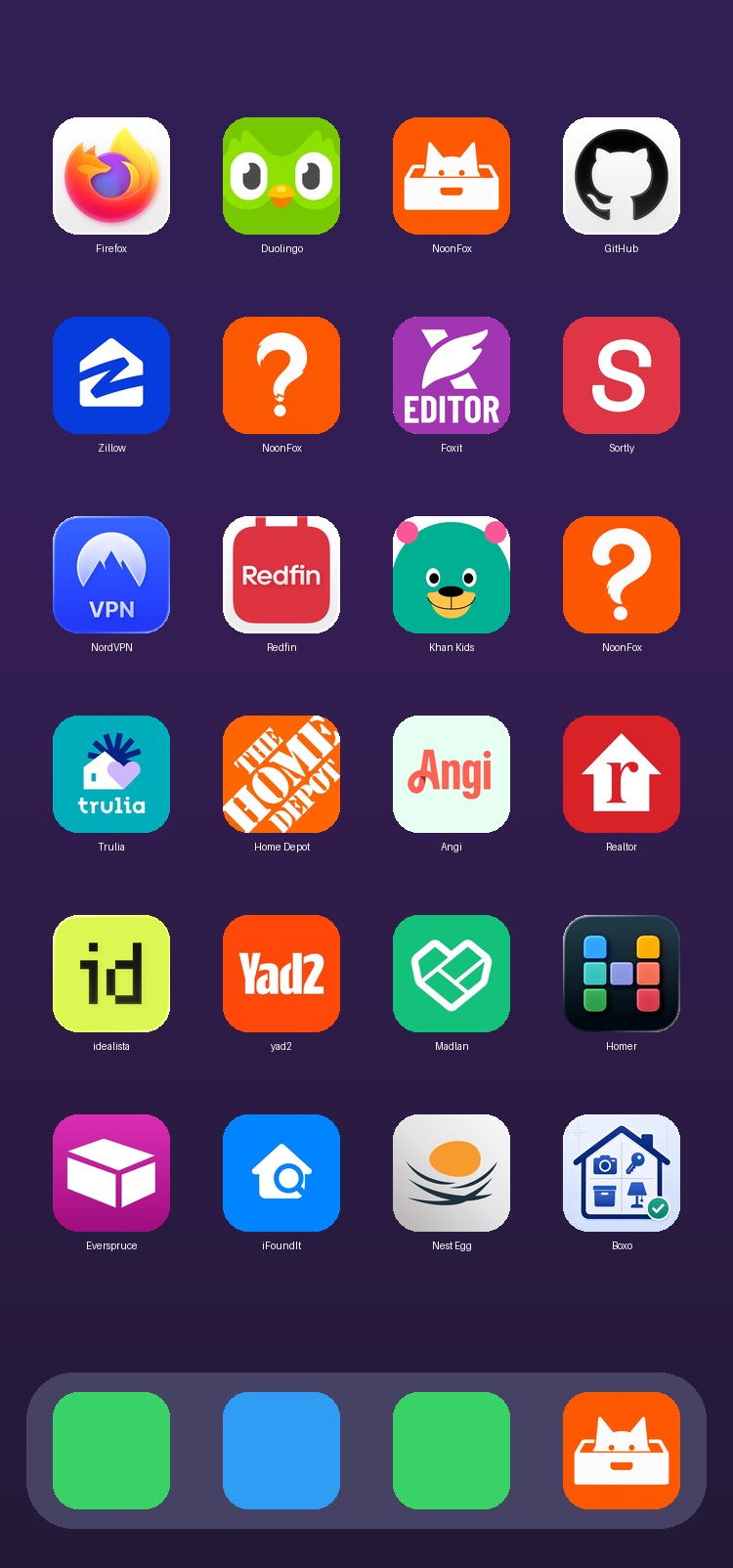
A realistic iPhone Home Screen showing three NoonFox candidates among real apps like Firefox, Duolingo, Zillow, Redfin and the iFoundIt competitor.

Round 7 — the camera door

Five lens concepts, one real find

Concept-true territory: NoonFox finds things because you photograph them. Five forms of camera-plus-magnifier:

C7b: camera with magnifier knocked out
C7b JOINS THE BOARD

The camera that finds things

A white camera whose lens is a knocked-out magnifying glass. The product mechanic in one image: snap it now, find it later. Bold, clean, unique — the round's find.

60 px
29 px
C7a: concentric lens rings with handle
C7a WATCH

Lens-magnifier

The concentric rings read target-or-vinyl before camera; the rings merge at 29 px.

60 px
29 px
C7c: aperture iris inside a magnifier
C7c SKIP

Aperture iris

Pretty, but the iris says "photo-editor app" — wrong shelf in the App Store.

60 px
29 px
C7d: camera with fox ears
C7d SKIP

Camera with ears

The lens becomes an eye and the whole thing reads "pet cam" — and slightly cat again.

60 px
29 px
C7e: lens rings with house center
C7e SKIP

Lens with house

The rings read bullseye; together with the house it says "smart-home hub."

60 px
29 px

How to finish

The board after seven rounds

Leaders: T6a (the mark), F5f (the character), C7b (the product mechanic), with B3a the clarity fallback and T6d/T6c/F5a alive. 52 candidates generated, ≈ $3.90 of $10 spent.

final: T6a ← or F5f / C7b / B3a / any earlier ID
→ Recraft vectorize → exact #FF6A00 → 1024 master + all sizes
→ Icon Composer (Mac) → light / dark / tinted .icon → Xcode